Tell me what this is:

If you said, “Hey! That’s a TCP header diagram in Lego(TM)”, or perhaps, “Holy &^%@! That idiot made a TCP header diagram in Lego(TM)!”, then you’re exactly right! This is another one of those wild, wacky ideas that we dreamed up in the middle of one of my SANS classes (note to the SANS staff: shorter breaks might be a good idea). I bet my students never thought I’d actually do it.
Of course, you know I couldn’t stop with just doing the TCP header:
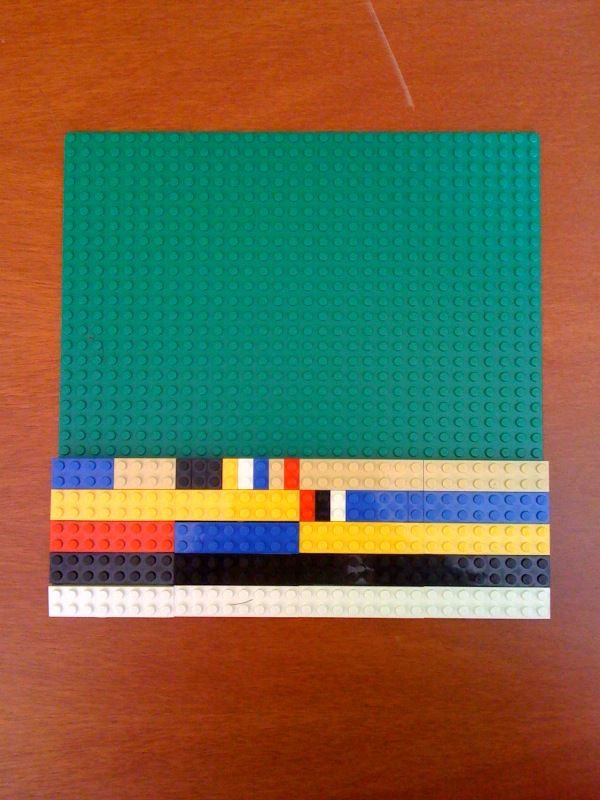
Now why am I wasting all that space on the building plate in each case? Why so you can put them together of course:
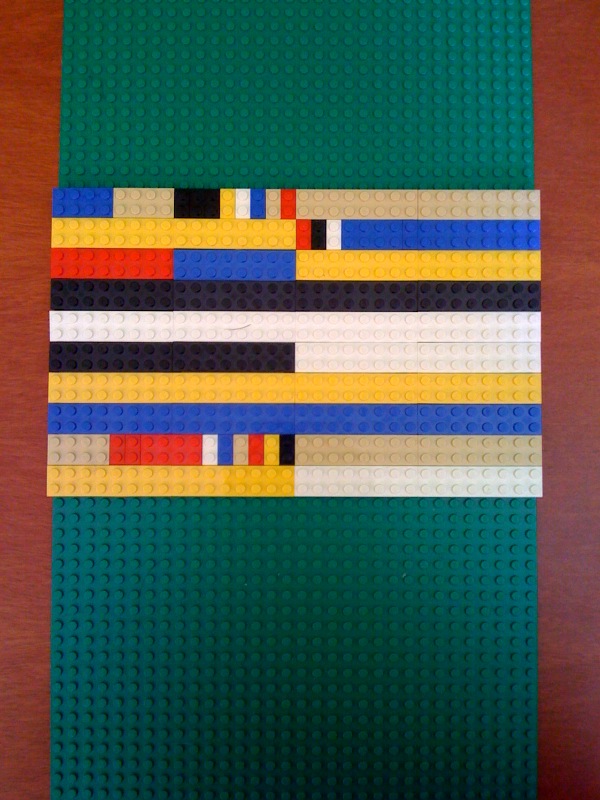
The use of color here really highlights certain portions of the packet header. For example, the source and destination addresses and ports really jump out. But there are some other, more subtle color patterns that I worked in here. For example, if you look closely you’ll see that I matched the color of the ACK bit with the blue in the ACK number field. Similarly the colors of the SYN bit and the sequence number match, as do the URG bit and urgent pointer field.
Actually I wish I had a couple of more colors available. Yes, Lego(TM) comes in dozens of colors these days, but they only make 2×8 blocks (aka one “Lego(TM) Byte”) in six colors: White, Black, Red, Yellow, Blue, and Beige.

So while I tried to use Beige exclusively for size fields, Red for reserved bits, Yellow for checksums, and so on, I ultimately ended up having to use these colors for other fields as well– for example, the yellow sequence number fields in the TCP header. Maybe I should have just bought a bunch of “nibbles” (2×4 blocks) in other colors and not been so choosy about using full “Lego(TM) Bytes”.
Serious Fun
Cute idea, but is there any practical value? After a lengthy conversation with my inner child (who is generally more mature than my outer persona), I realized that there was a fun learning game we could make out of all this. So I labelled all the blocks. Yes, that’s right. I. Labelled. Every. Single. Block. I even did the individual bits:
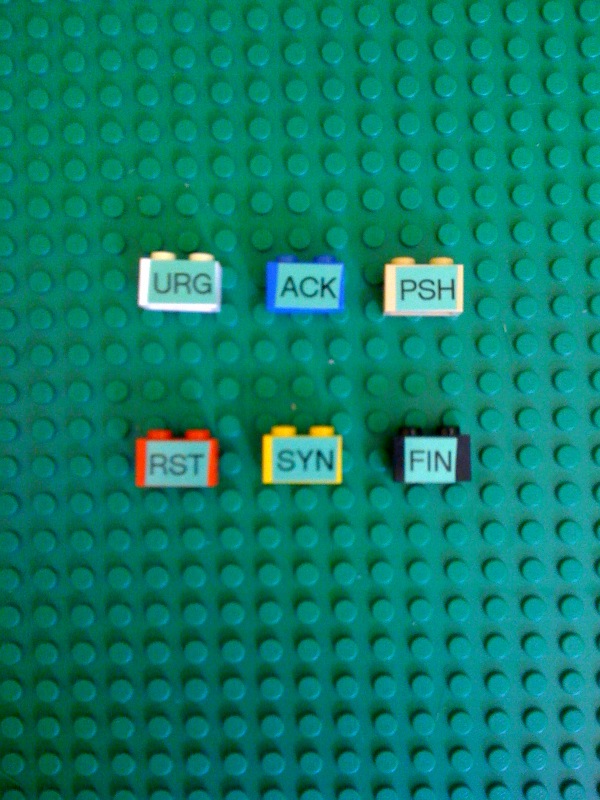
So the game becomes learning where all the fields are in the various packet headers so that you can re-create the packet diagrams from piles that look like this:
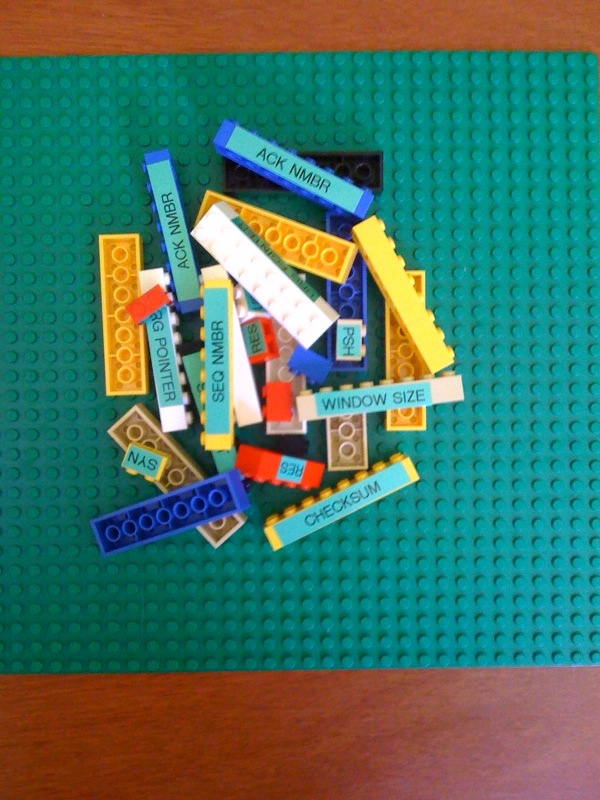
Now we can teach students how to decode packet headers by letting them play with Legos(TM). And that means we can all write off our Lego(TM) collections as a business expense! How cool is that?
Admit It. You Can’t Wait To Do It Too!
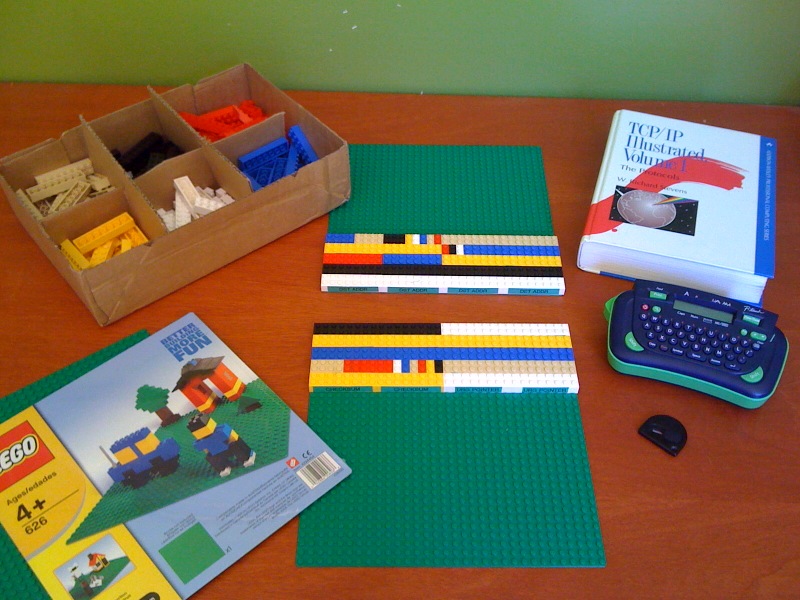
If you’ve got a hankering to try this out for yourself, it doesn’t take a whole lot. I way overbought on the Lego front: six green base-plates, and 20 2×8 “Lego(TM) Bytes”, 8 “Nibbles” (2×4 blocks), and 16 “Bits” in each color. Total cost for the Lego(TM) was around US$100 delivered.
Labelling was accomplished with my P-Touch(TM) labeller. 3/8″ ribbon is precisely the right height to be placed on the side of a Lego(TM) block. It also helps to have a razor blade type tool to help separate the P-Touch(TM) labels from their backing and apply them to the blocks.
And of course I have to give a shout-out to the late, great Richard Stevens and his biblical tome TCP/IP Illustrated: Vol 1. If you don’t already own this book, buy it. Seriously.
Final Thoughts
Finally, to all of you who think I need a life, all I have to say is:

Baby, I’m living the dream!

 Righteous IT
Well done. It’s hard to beat a graphic representation, especially when you get to something as technical as packet headers. Now, onto UDP!
Great! Makes it so easy to get. Used to look at traces all the time and had the hardest time explaining umm, they never acked our syn ack..etc.
Bookmarking and sharing!
Bounced here from boingboing.net
Great stuff! I’m going to go steal my nephew’s LEGOs and dust off the label maker, so I can have a go at this. Tactile learning is how I roll.
[…] Hal Pomeranz, Deer Run Associates Tell me what this is: If you said, "Hey! That's a TCP header diagram in Lego(TM)", or perhaps, "Holy &^%@! That idiot made a TCP header diagram in Lego(TM)!", then you're exactly right! This is another one of those wild, wacky ideas that we dreamed up in the middle of one of my SANS classes (note to the S … Read More […]
Awesome work Hal! Sign me up for a LEGO kit 🙂
Geeky sweetness! But you know, bro, I think that mom’s got the massive childhood Lego(R) collection still stashed in boxes back here in the sultry East. You really should call me the next time your inner child takes control…
Hal: I’m terribly afraid you’re going to do something rash like an IPv6 version. 🙂
Guess I’m going to have to duck the landlord for another month; worth it.
http://amzn.to/91oPsu
If you had flattr I would definitely add this to my monthly donation list.
[…] Practical, Visual, Three-Dimensional Pedagogy for Internet Protocol Packet Header Control FieldsAJ: Not game related, but really cute. […]
[…] Practical, Visual, Three-Dimensional Pedagogy for Internet Protocol Packet Header Control FieldsAJ: Not game related, but really cute. […]
[…] Practical, Visual, Three-Dimensional Pedagogy for Internet Protocol Packet Header Control Fields « …July 21, 2010 – Hmm. I smell an interview question. […]
if only my teacher did this, learning wouldn’t be so boring, that bad :p
Great teaching!!! 🙂
Pure genius! Love it.
Do you mind if I use the image in some PPT (with credit associated of course)?
BrickLink lists Lego bytes in 17 colours adding brown, dark blue, dark gray, green, light bluish gray, light gray, light yellow, Maersk blue, orange, sand green, and transparent clear to your list.
http://www.bricklink.com/catalogItem.asp?P=3007
[ It’s possible I need a life too. ]
Very nice and illustrative work :). Thanks for the idea.
[…] TCP and IP Headers in Legos – via Boing Boing […]
BrickLink? How did I not know of this?
Oh my. /me drools…
I don’t mind if people use these images (with attribution). Please, be my guest.
Hey, before everybody goes berserk, we need an RFC describing the scheme and specifying the colors. Interoperability would be adversely affected by implementations using different colors for checksums, for example.
[…] Practical, Visual, Three-Dimensional Pedagogy for Internet Protocol Packet Header Control FieldsAJ: Not game related, but really cute. […]
You should upgrade to IPv6 🙂
Cheers
And to think when I taught high speed Internet I only used Mega Blocks to display and show the layering of the OSI model… also tough to get the right color schemes!
[…] Practical, Visual, Three-Dimensional Pedagogy for Internet Protocol Packet Header Control Fields […]
[…] Practical, Visual, Three-Dimensional Pedagogy for Internet Protocol Packet Header Control FieldsAJ: Not game related, but really cute. […]
or to go a little more overboard with this, you could have 9 green boards to exactly represent the 576 byte minimum IPv4 packet (i think, they’re 32x32peg square right?), then assemble the IP & TCP headers at the top of the first board. you could (sacrilegiously) cut the first board up to allow one to still separate the 2 assembled header blocks
[…] 2010 05:49:21 +0000 HDC >> Cisco VPN for Mac OS X 10.6 Mon, 26 Jul 2010 04:10:28 +0000 Practical, Visual, Three-Dimensional Pedagogy for Internet Protocol Packet Header Control Fields « … Thu, 22 Jul 2010 05:30:05 +0000 iPhone 3G crippled by software update Tue, 20 Jul 2010 05:22:49 […]
[…] TCP/IP headers using Legos – awesomely geeky! I’d be tempted to spray paint some of the Legos to increase the color options. […]
how about http & https headers :->
In a similar frame of mind, here’s an interesting video using Legos to explain the issues related to Net Neutrality.
[…] Practical, Visual, Three-Dimensional Pedagogy for Internet Protocol Packet Header Control Fields | R…. […]
[…] Practical, Visual, Three-Dimensional Pedagogy for Internet Protocol Packet Header Control Fields (via Hacker News) […]
[…] Practical, Visual, Three-Dimensional Pedagogy for Internet Protocol Packet Header Control Fields […]
Reblogged this on Beep Boop and commented:
Fore those of you who are into networking and Lego.
[…] Use legos. […]
[…] Computer Networking 101 — studying what a TCP/IP packet looks like. Can be a little like watching paint dry. That’s why I love this: a hands-on approach to looking at the headers in both protocols: https://righteousit.wordpress.com/2010/06/27/practical-visual-three-dimensional-pedagogy-for-internet… […]
[…] https://righteousit.wordpress.com/2010/06/27/practical-visual-three-dimensional-pedagogy-for-internet… […]
Make a ping packet, send it in the mail to someone else who has implemented TCP/IP using lego and snail mail. Ping time of days :-O
Love the ping idea. We need an RFC along the lines of 1149. We’d need extra protocol units (compose the packet completely out of Lego(TM) Bits rather than Bytes or Nybbles?) but that shouldn’t be hard. Who’s going to build codecs out of Mindstorms?
Didn’t think of the Mindstorms codec, but that’s an excellent idea. Could go from PC to PC where the only human interaction is the postal service and packet insertion/extraction for the codec. Alternatively, if you want to ping another computer in-house, have no human interaction by making a Mindstorms robot carry the packet around 😉
(I remember 1149 was actually implemented by some blokes in my home town (http://www.blug.linux.no/rfc1149/) 😀 )
[…] my other favorite was an explanation of networking and packets using legos, Practical, Visual, Three-Dimensional Pedagogy for Internet Protocol Packet Header Control Fields – does it get more […]
[…] Use legos. […]
If you put together a kit and sell it on the internet for $20-$30, I’ll buy one!
There is a great business idea…